
A security system can look perfectly fine on a normal day and still fall apart when something serious happens. That is the frustrating part. During a real emergency, more people log in, more cameras get pulled up, more footage gets replayed, and exports start at the same time. That sudden pressure is exactly why surveillance failed during incidents in many setups. Systems often pass quiet-day testing, but they were never built for incident-level demand.
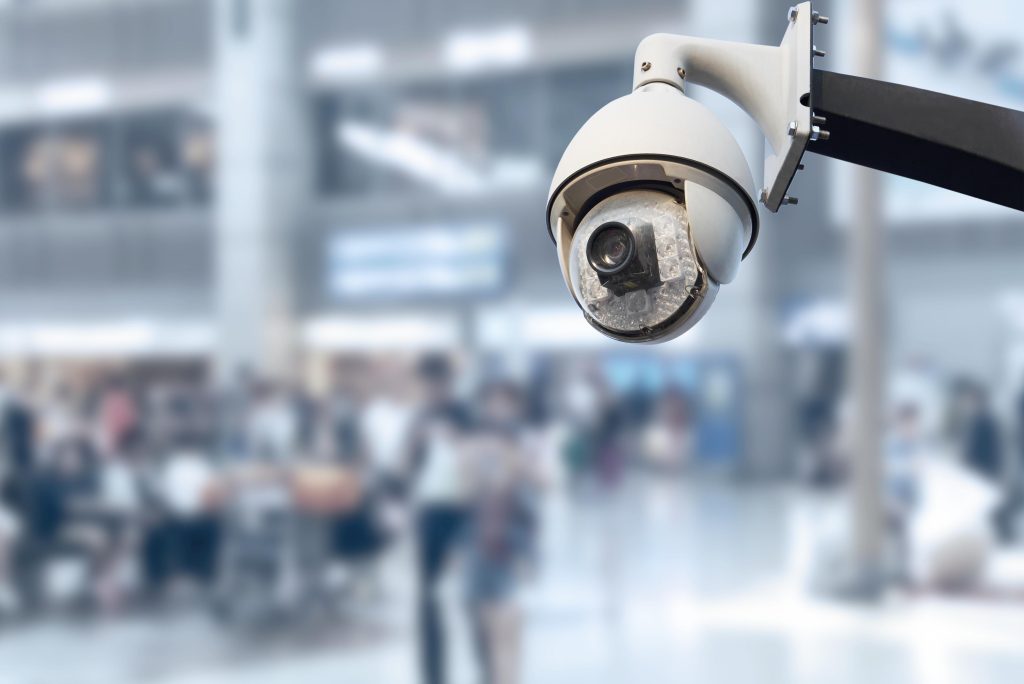
Why Security Cameras Fail During Critical Incidents
If a system records video during routine checks, that does not always mean it is ready for the real thing. In an actual incident, the workload changes fast. Recording continues in the background while teams also open live view, scrub playback, and download clips. At the same time, motion may increase, which can raise the bitrate and put extra pressure on storage, network capacity, and the recorder. That is one of the biggest reasons why Security Cameras Fail when they are needed most.
The problem is not always the camera itself. Sometimes the weak point is the NVR, VMS, switch, uplink, hard drive, or poor system design. A setup may handle normal recording, but once several people try to review and export footage, performance drops. This is also the real answer to Why do CCTV cameras fail during emergencies. In many cases, the cameras are online, but the rest of the system cannot keep up.
Some of the most common CCTV issues during a crisis include frozen playback, missing footage, delayed video, failed exports, overloaded storage, and network bottlenecks. If someone says the CCTV camera is not working after an incident, the issue may actually be tied to recording overload, corrupted storage, power instability, or bandwidth saturation rather than a dead camera.
Why Surveillance Failed During Incidents More Often Than People Expect
Most businesses test cameras in calm conditions. One person opens a few feeds, checks whether recording is active, and assumes all is well. But that is not a real stress test. Real incidents create peak concurrency, which means writing, reading, decoding, and exporting all happen together. That gap between testing and reality explains why surveillance failed during incidents even in systems that seemed stable the day before.
A few warning signs usually show up before a failure:
- Why Security Cameras Fail often comes down to systems being sized for average use, not peak use.
- How to Prevent Camera Failures starts with testing under real incident load, not calm-day conditions.
- Teams asking Why do CCTV cameras fail are often dealing with a network, storage, or recorder problem.
- If the CCTV camera is not working after incident, check power, storage health, recorder load, and export history first.
- How to Prevent Camera Failures Before They Cost You Evidence
The good news is that most of these problems can be reduced or avoided. The fix is not just buying more cameras. It is building a system that can handle pressure when everything happens at once. That is the heart of How to Prevent Camera Failures in the real world.
Start with these practical steps:
1. Size The System For Peak Activity
Do not size storage and recorders only for daily recording. Plan for incident-time playback, live view, motion spikes, and exports happening together. The source article stresses that recording load alone is not enough for reliable design.
2. Test Like A Real Incident
Run drills where multiple users log in together, pull several camera views, scrub footage, and export clips. That is how weak links show up before a real event does.
3. Watch Bitrate And Motion
Busy scenes can increase bitrate at exactly the wrong time. If image settings are too aggressive, the system can get overloaded much faster.
4. Protect Power And Network Paths
Use proper backup power, healthy switches, stable cabling, and enough uplink capacity. A great camera still fails in practice if the connection path is weak.
5. Maintain Storage Health
Drives, retention settings, and storage throughput matter more than many people realize. Old or overloaded storage can quietly destroy reliability.
CCTV Camera Maintenance Tips That Actually Help
Plenty of failures happen because maintenance gets ignored until something breaks. Good upkeep is boring, but it saves footage. These CCTV camera Maintenance Tips can make a big difference:
- Clean lenses and housings regularly
- Check power supplies and backup batteries
- Review recording retention and storage alerts
- Verify timestamps and syncing
- Test playback and exports, not just live view
- Inspect connectors, switches, and cable condition
- Confirm motion settings and bitrate levels are appropriate
A basic CCTV maintenance checklist should cover camera image quality, recorder health, storage space, playback speed, export success, firmware status, and network stability. If that routine is missing, it becomes easier to understand why surveillance failed during incidents when the pressure hit.
How To Prevent Camera Failures With Smarter Maintenance
Here is where how to prevent camera Failures become practical instead of theoretical. Maintenance should not only ask whether a camera is online. It should ask whether the whole chain works under load. That means camera, recorder, storage, network, and software all need regular checks.
More useful CCTV camera Maintenance Tips include scheduling monthly playback tests, quarterly export tests, and annual stress checks during off-hours. That approach helps catch hidden weak spots before they turn into evidence gaps.
What To Do If a CCTV Camera Is Not Working After an Incident
This is the moment nobody wants. The event already happened, and now someone discovers the footage is missing, frozen, corrupted, or incomplete. If the CCTV camera is not working after the incident, do not assume the camera itself failed first. Work through the basics in order:
- Confirm power and network status
- Check whether the recorder is overloaded
- Review storage capacity and drive health
- Test playback on other cameras
- Check whether multiple exports or logins happened during the event
- Inspect for timestamp or synchronization problems
- Save logs before rebooting anything
If the issue keeps repeating, it may be time to bring in a specialist or a CCTV maintenance company in Dubai or your local market that can review recorder sizing, storage throughput, and network design more deeply.
Winding Up
The biggest lesson is simple. Cameras usually do not fail only because of one bad device. They fail because the full system was not prepared for the moment that matters. That is the real story behind Why Security Cameras Fail and the most practical path for How to Prevent Camera Failures. When a business asks why footage disappeared, froze, or could not be exported, the answer is often hidden in poor testing, weak maintenance, overloaded infrastructure, or unrealistic system sizing.
If a surveillance setup is treated like a serious safety tool instead of a set-it-and-forget-it purchase, failures become much less likely. That is how better planning, better testing, and better upkeep protect you when things go wrong.