
Your team is gearing up for a massive virtual pitch with an international client. The presentation is loaded, the webcams are switched on, and suddenly… the video freezes. The audio turns robotic. The dreaded “connection unstable” message pops up on the screen. Most people immediately blame their Internet Service Provider (ISP) or yell at the router. But what if the real culprit is hiding right behind your walls or resting above your ceiling tiles?
Understanding why cabling problems cause slow internet is easily one of the most overlooked aspects of modern business management. We spend thousands of dirhams on high-end computers, state-of-the-art software, and premium fiber-optic internet packages, yet we completely ignore the physical wires connecting them all together. The truth is, office network cabling problems are incredibly common, especially in rapidly growing corporate spaces where quick fixes and temporary setups eventually become permanent fixtures.
In this comprehensive guide, we are going to pull back the curtain on your IT setup. We will dive deep into the real reasons why cabling problems cause slow internet, explore the devastating effects of bad wiring on your daily operations, and most importantly, show you exactly how to detect cabling problems before they completely derail your next big project.
The Invisible Backbone of Your Business
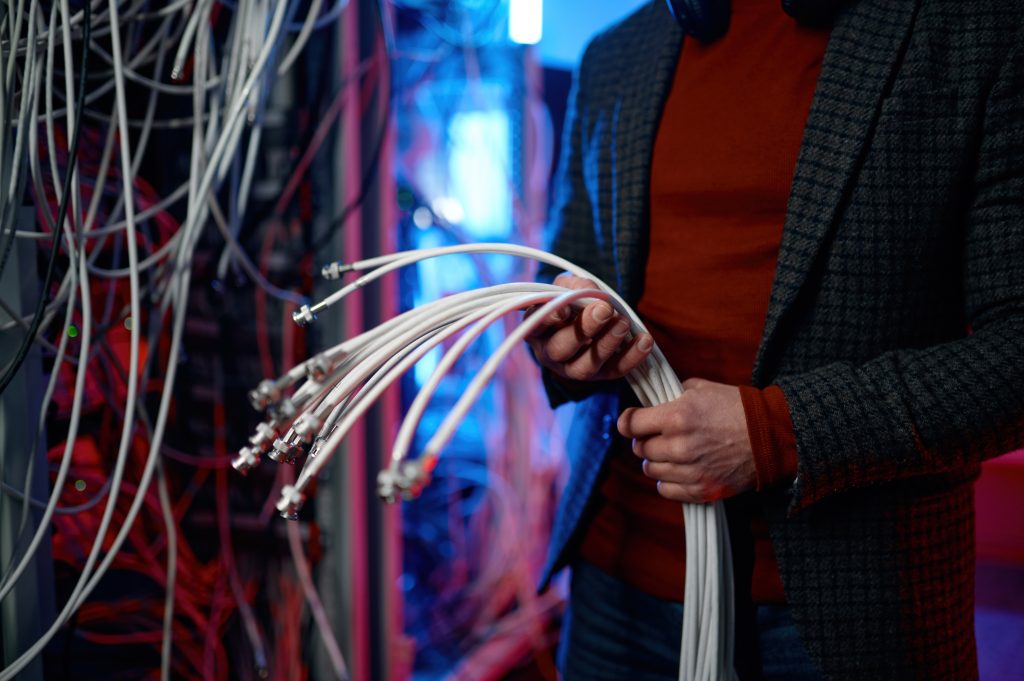
Imagine trying to drive a sports car at top speed down an unpaved, pothole-riddled dirt path. You aren’t going to get very far, very fast. This is exactly the impact of poor network cabling. When businesses expand, IT closets often organically devolve into a chaotic spaghetti monster of tangled wires. Old, outdated cables (like legacy Cat5) are left in place and are stubbornly expected to handle the massive bandwidth demands of modern 4K video conferencing and heavy cloud computing.
This physical deterioration and lack of organization are exactly why cabling problems cause slow internet. The cables physically degrade over time, or they get stretched, bent, and crushed under the weight of other equipment. When this happens, the data can’t flow smoothly. It drops out, gets delayed, or has to be constantly resent, which your computer translates as frustrating buffering and lag. Dealing with these office network cabling problems is practically a rite of passage for growing businesses, but actively ignoring them is a guaranteed recipe for operational disaster.
The Science of the Slowdown
So, what is actually happening inside those colorful plastic sheaths? Let’s break down the technical side of things without getting lost in too much exhausting IT jargon:
- Electromagnetic Interference (EMI): Wires that carry data are highly sensitive. If your network cables are run too close to heavy electrical lines, unshielded fluorescent lights, or large office machinery, the external electrical fields can actually disrupt the fragile data signals. This interference literally scrambles the data packets, forcing your network hardware to constantly ask for the data to be sent again and again.
- The “Crosstalk” Effect: This happens when signals from different cables bleed into one another because the cables are unshielded or packed far too tightly together in a messy, disorganized bundle. It’s exactly like trying to have a serious, private conversation in a crowded, incredibly noisy restaurant; the background noise completely drowns out the intended message.
- Distance and Attenuation: Sheer distance plays a massive role in network speed. Standard Ethernet cables have a strict length limit (usually around 100 meters). If a cable is stretched beyond its capacity without a proper signal booster, the data naturally weakens. These specific technical limitations are the primary drivers behind major office network bottlenecks in Dubai, where large corporate floors often require extensive, complex cable runs that are sometimes hastily installed by unqualified technicians trying to beat a deadline.
Spotting the Red Flags
You absolutely don’t need to be a certified network engineer to spot trouble brewing in your IT closet. Knowing how to detect cabling problems mostly requires a bit of keen observation and knowing exactly what to look for when things start going wrong.
Let’s look at the common symptoms of bad cabling. If your employees are constantly complaining about intermittent connectivity where the internet works flawlessly one minute and crawls the next, that is a massive red flag.
If you are trying to figure out how to detect cabling problems on your own, you need to perform a quick visual and digital audit. Here are the core things to look out for:
- Physical Damage and Disorganization: Take a look inside your server room or under the desks. Are the cables sharply bent at 90-degree angles, pinched under heavy office furniture, or hanging in a tangled, chaotic mess? Physical stress directly damages the fragile internal copper wiring, leading to immediate data loss.
- Inconsistent Speeds on Wired Devices: If your desktop is securely hardwired into the wall port but is still experiencing the kind of severe lag usually reserved for a bad Wi-Fi connection, the long cable run from the wall to the server room is likely compromised, damaged, or severely outdated.
Recognizing these common symptoms of bad cabling is the vital first step toward getting your office back up to speed. Interestingly, sometimes what people assume is a wireless issue actually stems directly from the wires. For instance, during routine office Wi-Fi signal troubleshooting, technicians frequently discover that the wireless access point itself is perfectly fine, but the physical cable feeding internet to that access point is damaged, crippling the Wi-Fi for everyone in the room.
The Ripple Effect on Your Business
The sheer frustration of slow internet is obvious, but the true impact of poor network cabling goes much deeper than just annoyed employees rolling their eyes at their screens. It actively bleeds your company’s valuable resources. Think about the cumulative hours lost over a month when a team of twenty people has to wait an extra five minutes for a shared cloud document to load, multiple times a day.
Furthermore, office network cabling problems cause severe, embarrassing issues with modern communication tools. Dropped VoIP phone calls, terrible, robotic audio quality, and lagging video presentations make your business look highly unprofessional to clients and partners. In severe cases, bad cabling can even pose a physical safety and security risk. Disorganized cables are easily tripped over or accidentally unplugged by the cleaning staff, leading to sudden data loss or hardware damage. Knowing how to detect cabling problems early on saves you from these incredibly costly operational hiccups.
Fixing the Mess
Once you’ve identified the root of the sluggishness, it is time to take decisive action. Implementing reliable solutions to fix network cabling issues isn’t usually a quick DIY weekend job for the office manager; it requires professional intervention to ensure long-term stability and compliance.
One of the most effective solutions to fix network cabling issues is ripping out old Cat5 or Cat5e cables entirely and upgrading the backbone to modern Cat6 or Cat6a standards, which are heavily shielded and specifically designed to handle massive gigabit data loads.
This is exactly where bringing in external expertise becomes critical. You need to look into professional IT infrastructure services in Dubai that understand local building codes, SIRA compliance, and high-level corporate demands. Partnering with a reputable structured cabling company in Dubai ensures that your new network is organized, properly labeled, and physically routed safely away from electrical interference.
Conclusion
At the end of the day, your business moves at the exact speed of your network. We’ve explored exactly why cabling problems cause slow internet, from physical deterioration to invisible electrical interference. We’ve highlighted the office network cabling problems that consistently plague growing companies and detailed exactly how to spot the red flags before they cause total, catastrophic downtime.
Don’t let neglected wires dictate your company’s productivity or frustrate your hardworking staff. By keeping an eye out for the symptoms, understanding the underlying technical causes, and investing in a professionally organized infrastructure, you are setting your team up for long-term success.